
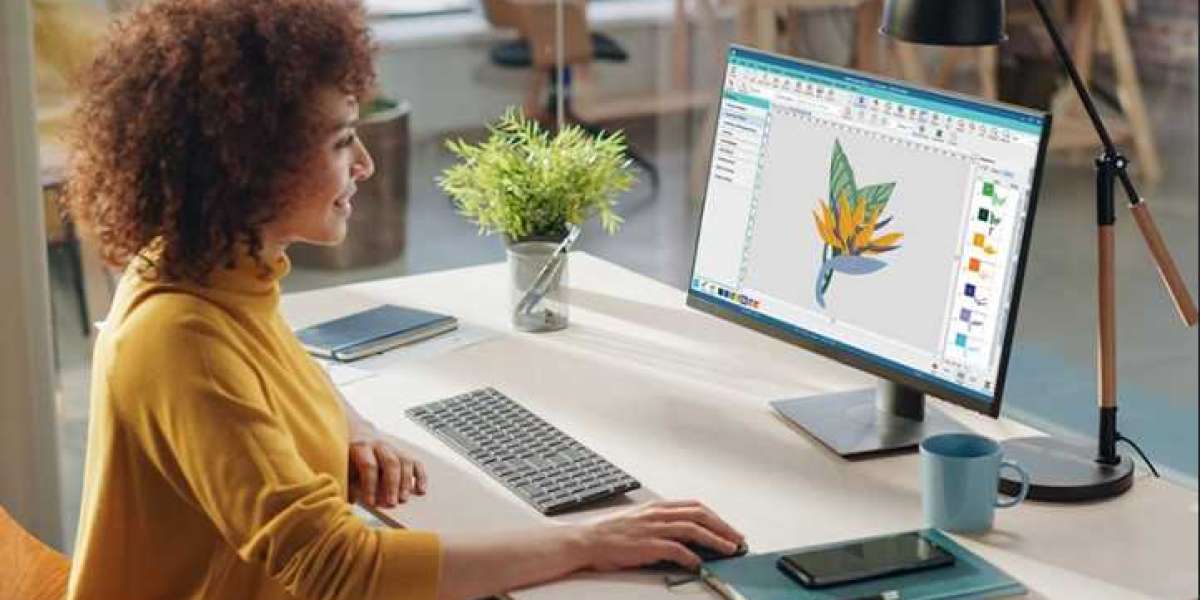
You have got your Janome or Kenmore embroidery machine ready to go. You have the perfect logo, the ideal design, and a stack of fabric waiting to be transformed. But there is one thing standing between you and that flawless finished product. Your machine needs a specific file format to understand what to stitch, and for many Janome and Elna machines, that format is SEW. This is where Professional SEW embroidery digitizing becomes your secret weapon. It is the process of taking your artwork and translating it into a language your machine can understand, ensuring that every single stitch lands exactly where it should. Let me walk you through why this matters and how professional digitizing delivers the precise, clean results you are after.
What Exactly is a SEW File?
Before we dive into the digitizing process, let us clear up what a SEW file actually is. The SEW format is the native embroidery file for Janome, Elna, and Kenmore home embroidery machines . Think of it as the instruction manual your machine reads to know where to place every stitch, when to change colors, and how to create the design you want . It is a proprietary format designed specifically for these brands, and if you try to feed your machine a different file type, it simply will not work .
Now, here is an important heads-up. The SEW format is considered a legacy format. It was designed for older Janome Memory Craft machines and has some limitations, including a restricted hoop size and a basic color palette . In fact, newer Janome machines have largely moved to the JEF format . So if you have an older machine, you are likely dealing with SEW. If you have a newer one, you might need JEF. The key takeaway is that you need to know exactly what your machine requires.
Why Professional Digitizing Matters for SEW
You might be tempted to use an online converter or try to digitize your design yourself. And honestly, I get it. The appeal of a quick, free solution is strong. But here is the reality. SEW is a format with specific technical constraints . An automated converter does not understand the nuances of your design or the physical properties of your fabric. It simply translates pixels into stitches, often with disastrous results. You end up with a design that puckers, has gaps, or simply looks nothing like your original artwork.
A professional digitizer, on the other hand, understands the limitations of the SEW format and works within them to create a file that stitches out beautifully. They know how to adjust stitch density, underlay, and pull compensation to account for the specific machine and fabric you are using. This level of expertise is what separates a professional result from an amateur disaster.
The Digitizing Process: From Artwork to Stitches
So, what does a professional digitizer actually do? Let me break it down for you.
First, they review your artwork. They check for fine details, tiny text, and complex gradients that might not translate well to embroidery . The SEW format has limitations, so they may suggest simplifying certain elements to ensure a clean result.
Next, they choose the right stitch types for each part of your design. They might use a satin stitch for borders and text to create a shiny, raised edge, a fill stitch for large solid areas, and a running stitch for fine details.
Then comes the technical part. They set the stitch density, which determines how close together the stitches are. Too dense, and the fabric puckers. Too sparse, and you see gaps. They add underlay stitches, which are the hidden foundation that stabilizes the fabric and prevents the top stitches from sinking in. They also apply pull compensation, which adjusts the shape of the design to counteract the natural pulling of the fabric during stitching.
Finally, they test the file. A professional service will often stitch out the design on a sample piece of fabric to ensure everything looks perfect before they deliver it to you.
How to Choose the Right SEW Digitizing Service
Not all digitizing services are created equal, and finding the right one for your SEW files is important. Here is what I look for:
First, make sure they actually support SEW. Not all digitizers work with this legacy format, so confirm that they can export to SEW .
Second, check their portfolio. Look for examples of their work on similar designs. Do the edges look clean? Are the colors accurate? Does the stitching look even?
Third, read reviews from other Janome or Kenmore users. They will tell you if the service delivered a file that worked well with their specific machine.
Fourth, ask about revisions. A good digitizer will offer revisions to ensure you are 100% happy with the file.
Conclusion
Getting professional SEW embroidery digitizing is the smartest move you can make for your embroidery projects. It saves you time, prevents costly mistakes, and ensures that your designs stitch out exactly as you envisioned. Whether you are a hobbyist or a business owner, investing in professional digitizing elevates the quality of your embroidery and gives you the confidence to tackle any project. Your Janome or Kenmore machine is ready, and with the right SEW file, you are going to create something amazing.



